Ubimob Digital Noticeboard System
A focal point for the site — displaying site-specific information, a news feed, and local weather on a large wall-mounted screen, with a companion mobile app for residents.
The Communication Challenge
Housing providers face increasing pressure to communicate effectively with residents whilst managing limited staff resources. Printed notices become out of date quickly, residents miss important information, and staff time gets spent updating physical noticeboards across multiple schemes — some residents can't access communal noticeboards regularly at all.
The Ubimob Digital Noticeboard provides a simple digital solution.
What Is The Ubimob Digital Noticeboard?
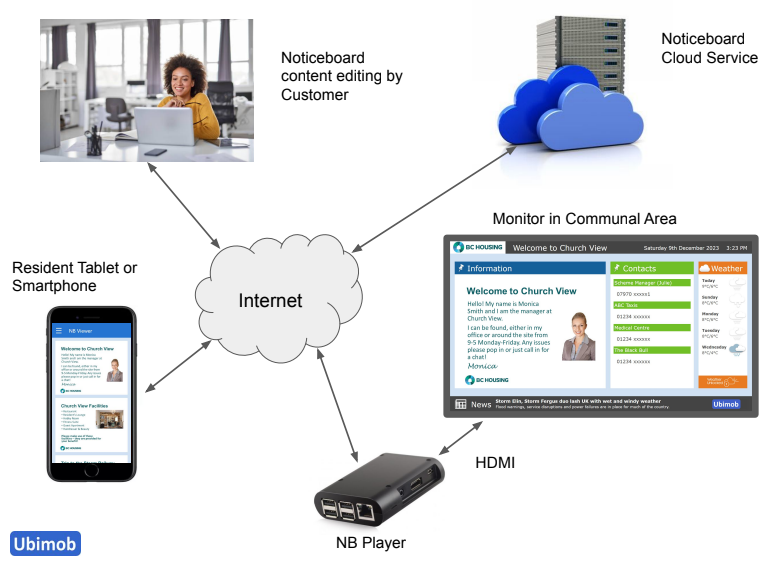
The Ubimob Digital Noticeboard acts as a focal point for the site, displaying site-specific information, a news feed and local weather on a large screen wall-mounted monitor. Noticeboard content is retrieved from the Ubimob Cloud Service over the internet using the NB Player, which displays it on the wall-mounted monitor via HDMI.
Residents can also view the content remotely using their tablet or smartphone. Staff can generate bespoke content via a simple to use and secure web portal.
Why Housing Providers Choose Ubimob
Benefits for Housing Providers
- Reduce staff time spent updating noticeboards
- Deliver information instantly
- Communicate across one or many schemes
- Simple web-based administration
- Low installation and support requirements
- No dependency on existing telecare or warden call systems
Benefits for Residents
- Access information anytime
- Stay informed about activities and services
- View notices remotely using their own devices
- Increased engagement with their community
Simple, Secure Administration
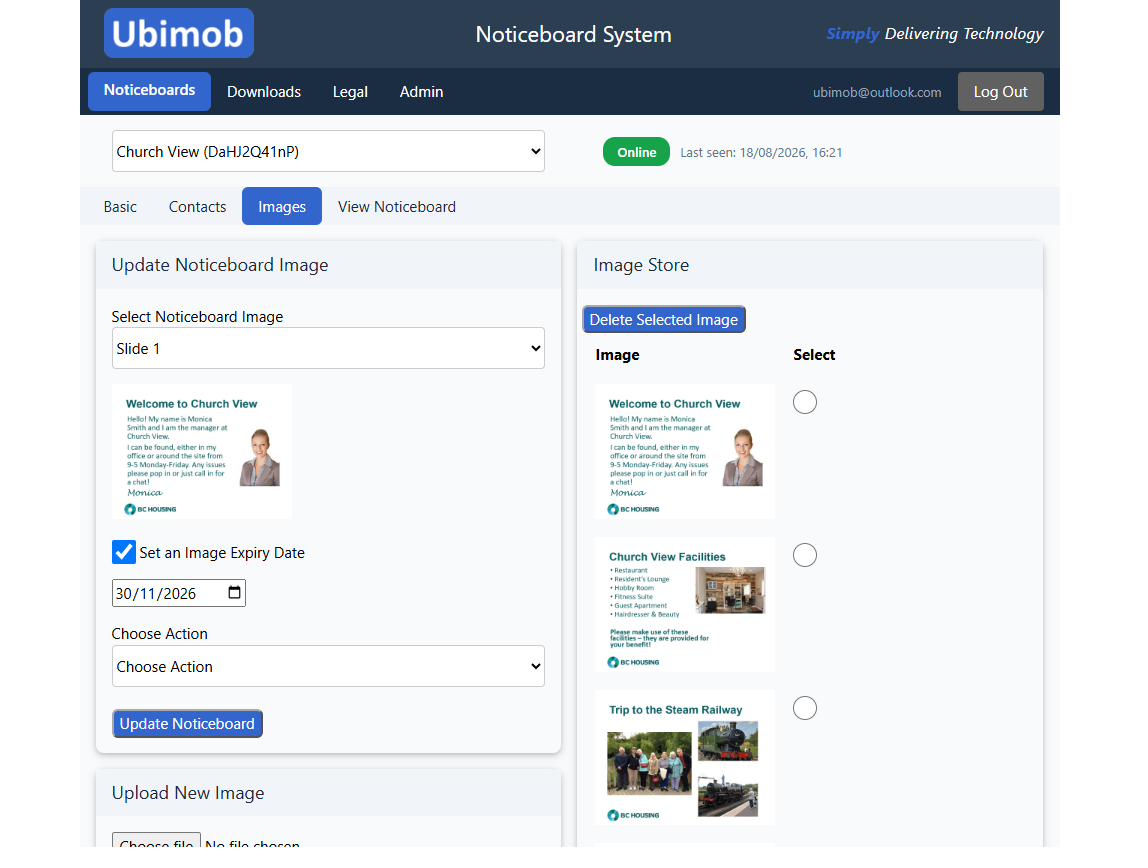
Staff manage every noticeboard through a straightforward web portal — no technical skills or IT support needed. Upload and schedule image slides, and manage everything from a simple image library.
What Does The Ubimob Noticeboard Display?
Information Section
Images rotate on a configurable delay, with up to 40 slides in total — up to 20 site-specific and up to 20 common across all of an organisation's noticeboards. Each slide can have an expiry date, after which it's automatically removed.
Contacts Section
Configured directly through the web portal. Up to four contact names and numbers can be displayed.
Weather Section
Weather information for the local postcode area, updated every hour.
News Section
Latest news headlines sourced from the BBC, updated every hour and rotated on a configurable delay.
Mobile Section
An optional section displaying a QR code for quick access to the mobile app.
Important Section
An optional section for important information, created quickly through the web portal. This content can also have an expiry date, after which it's automatically removed.
The noticeboard also displays the date and time, with a title section at the top that staff can edit directly from the web portal.
See It In Action
This is the Ubimob demo site, typical of what would be presented on the wall-mounted monitor.
Ubimob NB Viewer App
Residents can scroll through slides and contact information on their own mobile devices. The NB Viewer is a web app — there's nothing to download or install, and it runs on practically any device: smartphones, tablets, smart TV browsers, and more.
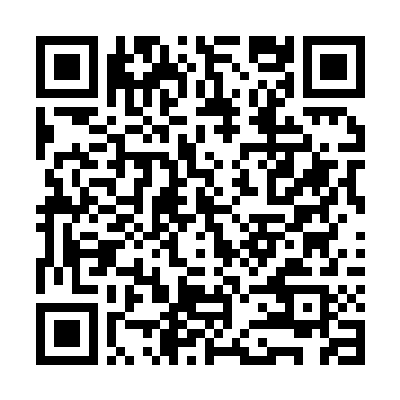
View the Ubimob demo noticeboard (Church View) on your own phone or tablet.